


WP PowerSuite Unlocks 155 Powerful Modules for WordPress
155 Modules, One Plugin
Choose Your Perfect Plan
- SoloFor one site you care about.$79$3999
- 1 Site
- 155 Modules
- All Features Included
- No Locked Modules
- Enable What You Need
- Automatic Updates
- New Modules Included
- Documentation Access
- Customer Support
- Whitelabel
- RecommendedFreelancerFor freelancers and small teams.$239$11999
- 25 Sites
- 155 Modules
- All Features Included
- No Locked Modules
- Enable What You Need
- Automatic Updates
- New Modules Included
- Documentation Access
- Customer Support
- Whitelabel
- AgencyFor agencies running many sites.$399$19999
- Unlimited Sites
- 155 Modules
- All Features Included
- No Locked Modules
- Enable What You Need
- Automatic Updates
- New Modules Included
- Documentation Access
- Customer Support
- Whitelabel
- SoloPay once, use forever on one site.$199$9999
- 1 Site
- 155 Modules
- All Features Included
- No Locked Modules
- Enable What You Need
- Automatic Updates
- New Modules Included
- Documentation Access
- Customer Support
- Whitelabel
- RecommendedFreelancerPay once, use forever on 25 sites.$399$19999
- 25 Sites
- 155 Modules
- All Features Included
- No Locked Modules
- Enable What You Need
- Automatic Updates
- New Modules Included
- Documentation Access
- Customer Support
- Whitelabel
- AgencyPay once, use forever on unlimited sites.$699$34999
- Unlimited Sites
- 155 Modules
- All Features Included
- No Locked Modules
- Enable What You Need
- Automatic Updates
- New Modules Included
- Documentation Access
- Customer Support
- Whitelabel
What a typical plugin stack really costs per year
Typical standalone plugin
Pricing
WP PowerSuite
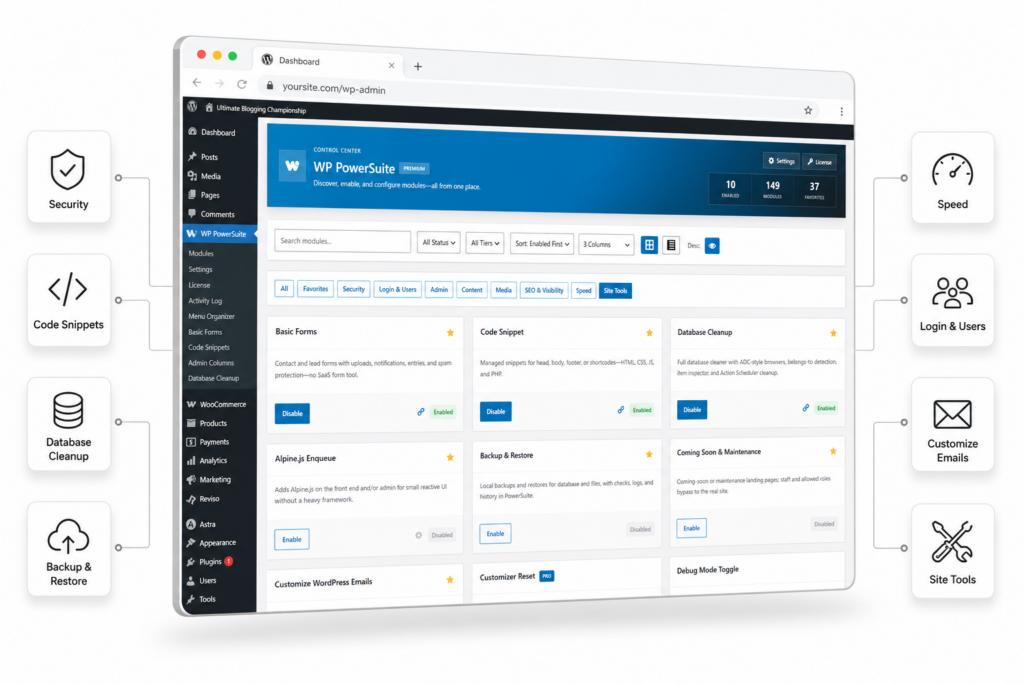
Stop Installing Separate Plugins for Every Feature
Toggle modules like flipping switches
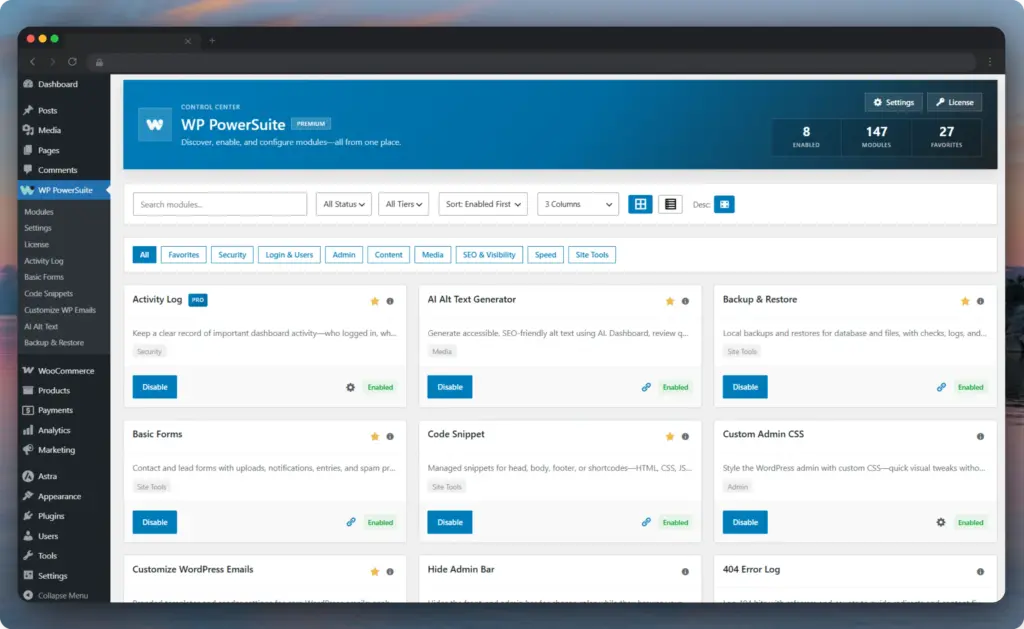
Powerful Features Without the Plugin Stack
Backup & Restore
Email Delivery (SMTP)
Basic Forms
Redirect Manager
Two-Factor Authentication
AI Alt Text Generator
Whatever the job, there's a module for it
Security
SEO & Visibility
Speed
Content
Media
Login & Users
Admin
Site Tools
Try it for 14 days. Keep the risk on us.
Every active plugin is weight your site carries
One update
Bloat you can measure
Wider attack surface
Subscription sprawl
Built for the people who maintain WordPress for a living
Freelancers
Agencies
Site owners
WooCommerce stores
Trusted By The Many Website Owners










Everything You Need to Know
Will disabled modules slow down my website?
No. A disabled module never loads, its hooks, scripts and styles stay off the critical path entirely. Your site only loads what you actually switch on, which is the whole point of the modular architecture.
Can I replace my existing plugins with this?
Realistically: your security plugin (2FA, login limits, captchas, XML-RPC hardening), your SMTP plugin, your backup plugin, your redirect plugin, your image optimiser (WebP/AVIF), your contact form plugin, your code snippets plugin, your login customizer, your duplicate-post plugin and most of your small admin utilities. Browse the full module list and tick them off against your own site.
Does it work with my theme and page builder?
Yes. PowerSuite operates at the WordPress core level and designed to work with standard WordPress themes, leading page builders and WooCommerce.
What do I need to run it?
WordPress 6.9 or newer and PHP 8.1 or newer. PowerSuite is built on a modern, typed codebase, and individual modules declare their own requirements so you always know what each one needs.
Is anything locked behind a higher tier?
Every plan unlocks all 155 modules. The only difference between plans is the number of sites you can activate, while White Label is included exclusively with the Agency plan. We do not feature-gate modules or place upsell banners inside your WordPress dashboard.
What if I stop renewing?
Your installed version keeps working forever. A lapsed licence only pauses new updates and support until you renew.
Is my data safe?
PowerSuite is fully self-hosted. Your content never leaves your server unless a module you explicitly configured needs a third party (SMTP relay, analytics, social sign-in, AI alt text).
